


Profile Cards Overview
Profile cards, found in the “People” tab, provide a quick snapshot of each congregant. If a photo has been uploaded through your church management system, it will appear on the card for easy recognition.
Each card includes three visual indicators:

- Water Droplet – Indicates a recorded baptism date
- Heart – Shows that the congregant has served
- People Icon – Highlights participation in a group
If any of these icons appear grayed out, it means there is no recorded activity in that area.
Right from this view, you can also quickly see if a congregant has recent touchpoints, as well as their current engagement status at a glance.
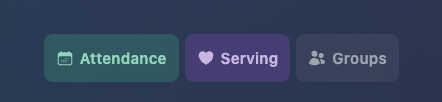
- Blue - New
- Purple - Potential
- Green - Active
- Yellow - At Risk
- Red - Disengaged
- Black - Inactive
- Gray - No Activity
Lastly, Every person's profile image now includes a colored ring that reflects how recently they were contacted:
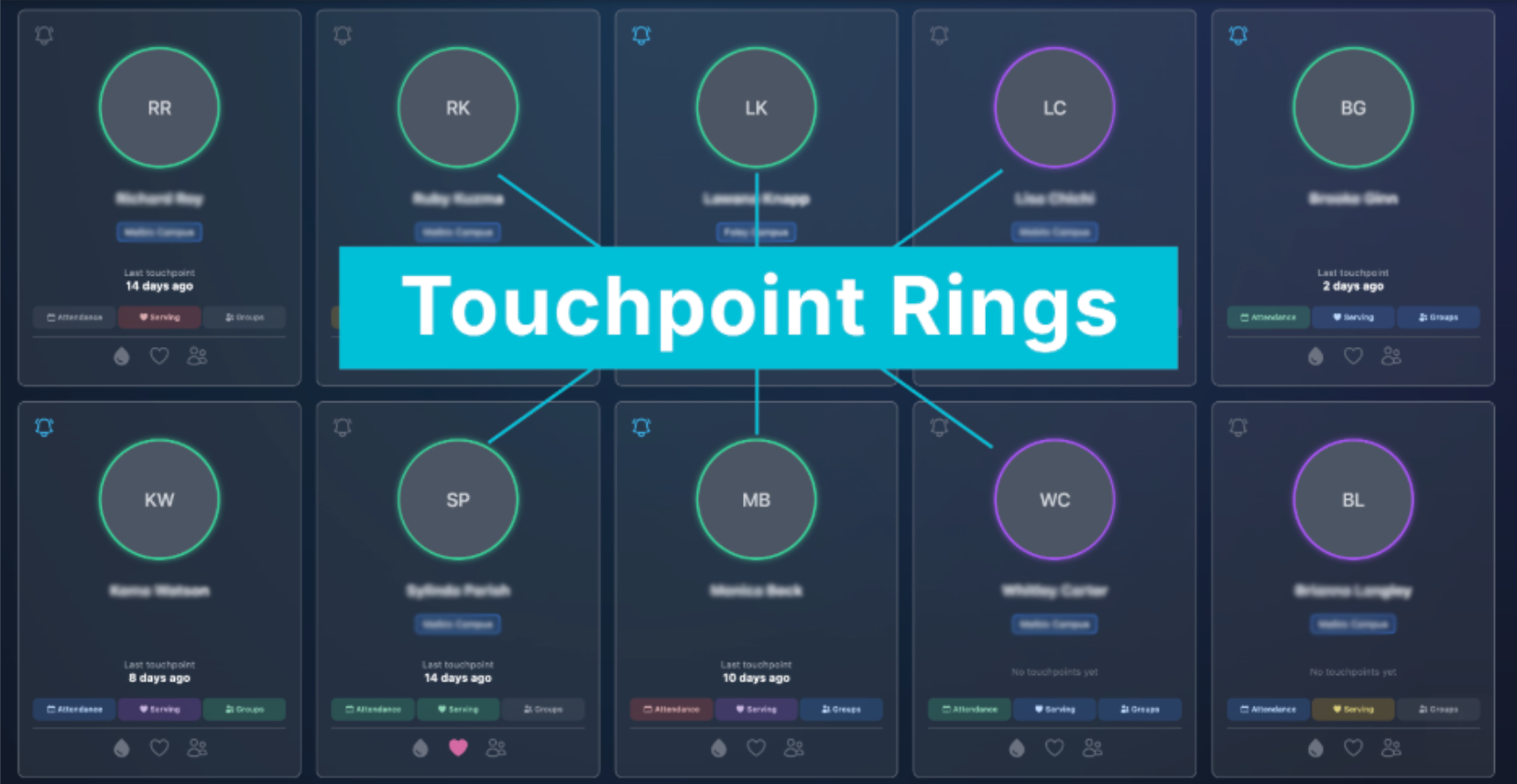
- Green - Contacted within the last 6 weeks
- Yellow - Contacted 6-12 weeks ago
- Red - Contacted more than 12 weeks ago
- Purple - No touchpoint recorded
Opening a Congregant’s Profile
To access more details, simply click on a profile card. This opens the congregant’s full profile, where you’ll find:
- Length of relationship with your church
- Age and birthday
- Key milestones such as baptism date, membership status, and campus attended
This centralized view helps you quickly understand where someone is in their journey.
Known Relationships
In the top right corner of the profile, you’ll see known relationships such as spouses or children within the same household.
You can also add additional relationships, including:
- Friends
- Group leaders
- Grandparents
- And more
Each related profile is clickable, allowing you to easily explore connected individuals.
Action Items
Action Items are tasks assigned to yourself or other team members regarding a specific congregant. These help ensure consistent follow-up and care.
You can create, assign, and manage these tasks to keep everyone aligned and proactive.
Followers
Following a congregant allows you to stay informed about their engagement. When you follow someone, you’ll receive email notifications when their engagement status changes.
This feature helps you stay connected and respond quickly to important moments in their journey.
Activity Feed
Located on the right side of the profile, the activity feed tells the story of a congregant’s engagement. It includes:
- Engagement data from your church management system
- Communication history
- Changes in engagement levels
You can filter the feed using the dropdown menu to focus on specific types of activity.
Engagement Levels
At the center of the profile, you’ll find three key engagement categories:
- Attendance
- Serving
- Groups
Each category is assigned a status:
- Potential
- Active
- At Risk
- Disengaged
- Inactive
Click “See Details” within any category to filter the activity feed and view a timeline of that specific area. This helps you better understand patterns and identify opportunities for connection.
Claiming Items and Creating Touchpoints
For congregants marked as New, Potential, At Risk, or Disengaged, action can be taken directly within Nurture.
You can:
- Assign a team member to claim the individual
- Initiate touchpoints to engage and support them
This ensures no one falls through the cracks.
Adding Notes
The notes section, located under the congregant’s name, allows you to add important context for your team.
Examples include:
- Life updates (relocation, hospitalization)
- Prayer needs
- General context for care
Notes can be set to:
- Visible to all users for team-wide awareness
- Private for sensitive information, visible only to selected users
Avoid logging touchpoints here, as they are automatically tracked within the system.
Why This Matters
With these tools, you can:
- Better understand your congregants
- Track engagement over time
- Build meaningful relationships
Because ultimately, Nurture helps you move from information to intentional care.